Operation, diagnostics and service
Dealing with a problem on a machine or production line?

Stop guessing.Ask the machine.

The same OEM knowledge base for the machine's entire lifecycle
operationdiagnosticsservice

Machine know-how, always where operation and service need it.

Operation

In pilot
“Why is the line down and what should I do?”

The line is stopped at station OP30 – Assembly. It is waiting for confirmation that the part is correctly positioned.

Current state
S24Part in PositionOFF
CLAMPClamp ClosedON
ROBOTRobot ReadyON
SAFETYSafety circuitOK
OP40Next stationREADY
What to do
  1. Check that the part is correctly seated in the OP30 fixture.
  2. Remove any chips or contamination around sensor S24.
  3. Check the position and cleanliness of sensor S24.
  4. Once the part is seated correctly, S24 must read ON.
  5. Then confirm RESET and continue with the standard line start-up procedure.
Never bypass the sensor or any safety condition.
MachineID noticed

The same stop has occurred 7× today. If the fault repeats after your check, escalate it to maintenance.

Show the position of S24 Open the OEM procedure Run diagnostics Create a service request
OEM manualsLive PLC / CNCLine state

Diagnostics

Live
“The machine won't start.”

The machine cannot arm the door safety circuit. The door is detected as open, so the start interlock stays active.

Live signal state
LiveTAGSymbol ValueMeaning
LiveI 55.0I_DOOR_CLOSEFALSEDoor not closed — sensor reads open
LiveI 55.1I_DOOR_LOCK_OKFALSEDoor lock not confirmed
LiveM 41.0DOOR_LOCK_M_SIGFALSEDoor lock output not active
LiveQ 21.0DOOR_CLOSE_SIG_QFALSEDoor closing solenoid not energised
LiveM 55.0CNC_READY_SIGTRUECNC ready
LiveI 5.1I_START_BUTTONFALSEStart command not detected
Recommended steps
  1. 1Check and close the working-area door. I 55.0 is FALSE
  2. 2Verify the door lock engages and I 55.1 changes to TRUE
  3. 3After closing and locking the door press START. I 5.1
Sources: PLC program · Electrical schematic · Maintenance history Reliability: high
Live PLC / CNCElectrical schematicsService history

Service

In pilot
“Alarm 300501 on the X axis. What do I check?”
Alarm 300501 – X axis: maximum current check

A problem with the maximum current check on the X axis. It may be a current-sensing fault or incorrect threshold values in rotor position identification.

Possible causes
  • Incorrect parameter MD 107 – drive maximum current
  • Incorrect or damaged X-axis motor
  • Poor current/speed controller settings
  • Current sensor fault
  • Problem with the 611D power module or the X-axis control module
  • Problem with rotor position identification
X axis modules and components
ComponentDesignationType / specification
MotorM270.11FT6081-8AC71-1AH0
Motor power cableW27021FX400BB1A11, 5 m, 4×1,5 mm²
Encoder cableW27051CPURCOMB1, 6 m, 16×0,14
EncoderBOI-2048-S/R-KTY842048 ppr, integrated KTY84
Control moduleA39.2CCU BUS, 160 V
Power moduleA17.3600 V DC
Encoder connectorX270.517 PIN
Fault history

A similar fault was recorded on 14.02.2026. Service report no. 778425: the power module for the X axis was replaced.

Sources: PLC program · Electrical schematic · Maintenance history Reliability: high
Service recordWork orderWear trend
Feedback: the result of the intervention is written back into service memory — the next fault starts from what you already know.
MEASURABLE IMPACT

What factories see on the floor

71%
faster fault diagnostics
vs. manual triage
61%
shorter downtime per fault
per fault event
96.2%
machine availability
sustained uptime

Indicative results based on a pilot deployment with SAVE-TECH s.r.o. Read the case study →

It's not just an AI assistant.It's a platform for your entire machine fleet.

Step by step
  1. Search the database or create a machine profile.
  2. Activate the profile to access OEM documentation, diagnostics and maintenance.
  3. Manage machines and equipment in one place.
  4. Chat with AI across your entire machine portfolio in your factory.
English
Machine Catalog
All (6 044)Machining Centers (2 676)Turning (1 929)Grinding (1 246)
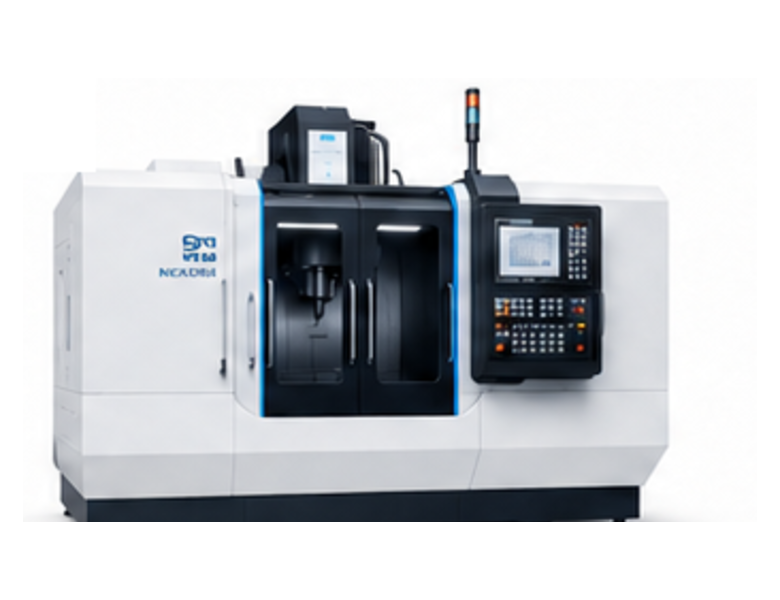
MILLING
NXR-VMC950
NEXORA
12 000 RPM22 kW32 tools
TURNING
CTX 2500
DMG MORI
4 000 RPM18 kW
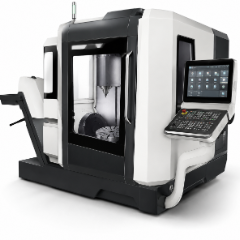
MILLING
DMU 50
DMG MORI
10 000 RPM40 tools
English
MachineryNXR-VMC950Profile activated

OEM documentation

Original manufacturer material — versioned and tied to the serial number.

VMC950-0247
DocumentTypeVersionScope
Operating manualPDFrev. 4412 pages
Electrical schematicsDWGrev. 712 sheets
Spare-part catalogWeb2024.2340 items
Machine parametersCSVrev. 21,240 rows
Safety instructionsPDFrev. 328 pages
The AI assistant reads all of this material with every answer about this machine.
English
Your machines
6 machines and lines · one workspace
MachineTypeStatus
NXR-VMC950
#NXR950-021
Vertical Machining Center
Running
Open
DMU 50 3rd Gen
#5677
5-axis CNC Center
Running
Open
ARC Mate 120iC
#2332
Industrial Robot Arm
Maintenance
Open
CTX 2500
#44456
CNC Lathe
Running
Open
SBL 500 CNC
#5681
CNC Lathe
Maintenance
Open
English
Conversation with the machine Clear
Show me the service history for NXR-VMC950.
09:01

Three interventions are on record over the last 12 months.

14.02.2026X-axis power module replacedreport 778425
03.11.2025Spindle calibrationreport 769104
22.06.2025Preventive inspectionreport 751883
Service history · OEM maintenance plan
09:01
Ask anything about this machine…
Security and data control

Your data. Your rules.
AI you can actually trust.

MachineID is designed for industrial security, data control and deployment flexibility.

Cloud (SaaS)Fast deployment on your terms
  • European data centres
  • Encrypted in transit and at rest
  • Isolated environment (tenant)
  • No sharing of your data with third parties
Same platform=Same standards
On-premise (offline)100% control inside your factory
  • Local AI model on your hardware
  • Works without an internet connection
  • Full control over your data
  • Integration into your infrastructure
  • Suitable for regulated industries
01

Your data stays yours

You own all data from your machines. MachineID does not use your data to train its own models, nor does it share it with third parties.

02

Leading AI models or a local model

Choose what suits you. Use the leading AI models through our secure cloud in EU data centres, or deploy a local model fully offline on your own hardware.

03

Secure integration into the factory

The system can run in a closed network, behind your proxy and firewall rules, and be integrated into your IT environment.

04

Ready for special requirements

We can adapt to your internal security policies, NDAs, specific contractual terms and requirements from your own customers.

Equal value. Your choice of environment. Maximum security, zero compromise on functionality.
ONE PLATFORM

Everything for operation, diagnostics and service.
In one place, for every machine.

MachineID connects operation, AI diagnostics, live machine data, documentation and service history into one digital profile — so both the operator and maintenance understand the problem faster and react correctly.

Machine operation

Setup, operation and everyday situations, answered in the context of that machine.

AI diagnostics

Alarms, live signals and history analysed to the root cause, step by step.

Digital machine profile

One living profile per machine: specs, documentation, configuration and history.

OEM know-how

Manufacturer procedures and knowledge, from operation through to service.

Documents and schematics

Manuals and schematics at the machine, searchable and AI-connected.

Work orders

Create, assign and track repairs. The technician arrives with full context.

Service history

Faults, diagnostics and repairs build the long-term memory of every machine.

Service center

Request service, send diagnostic data and compare offers in one step.

Check whether your machines
are ready for AI support.